The real site behind a link
Spots look-alike domains, hidden logins, bare IP addresses, risky downloads and short links before you tap.
Qlarity reads QR codes and barcodes and tells you what is inside first: the real site behind a link, who a payment goes to, what a Wi-Fi code will change. Then you decide.
No account. No ads. Works offline.
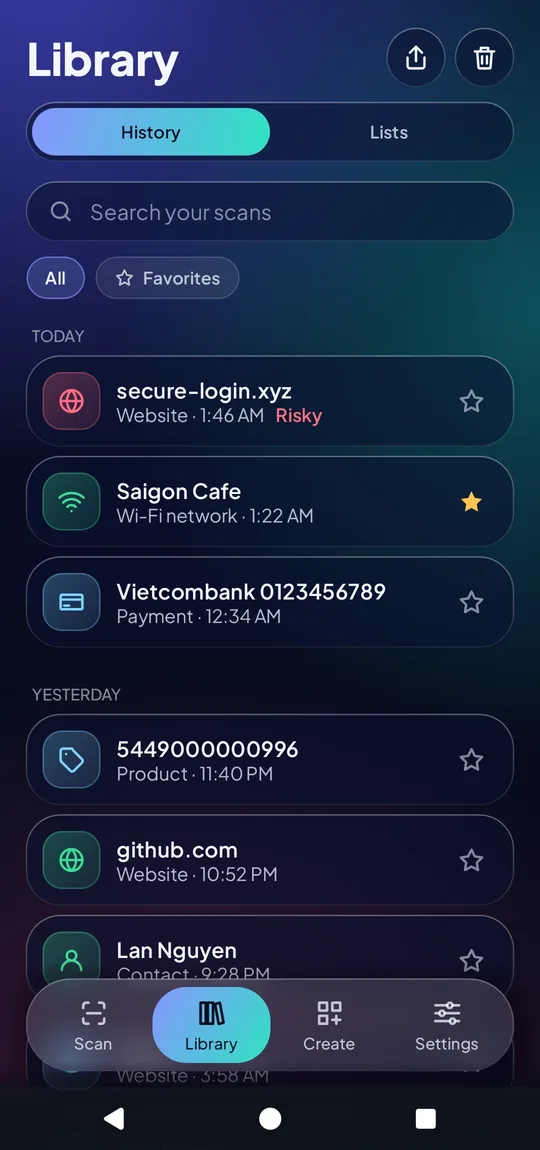
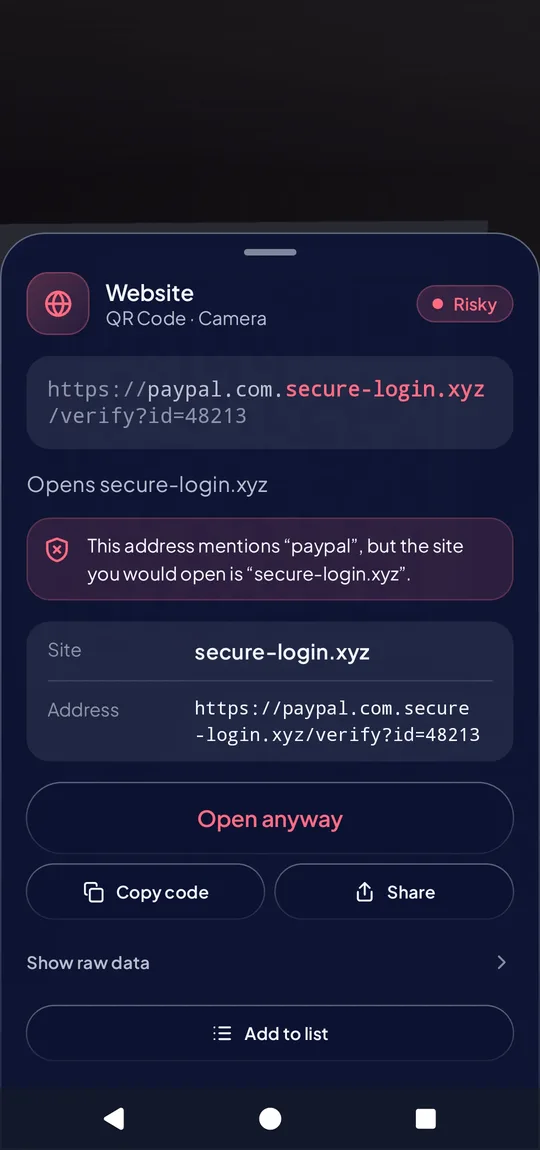
Qlarity never opens anything for you.
Aim the camera at a code, or pick a photo or screenshot.
See what the code contains and what acting on it would do.
Open it, copy it, share it, save it, or walk away.
From a menu QR to a bank transfer, Qlarity turns raw text into plain words.
Spots look-alike domains, hidden logins, bare IP addresses, risky downloads and short links before you tap.
Pix, VietQR, PromptPay, PayNow, QRIS, DuitNow, SEPA, UPI and Swiss QR-bill: who gets paid and how much, with the checksum verified.
Join a network, add a contact or put an event in your calendar, with every step shown first.
EAN, UPC and ISBN numbers are checked and decoded, including the country the brand registered them in.
Count stock or collect receipts. Repeats are counted, notes are kept and lists export to CSV.
Create codes for links, Wi-Fi, contacts, messages and bank transfers, styled your way, as an image or SVG.
A QR code hides where it goes. Qlarity shows the destination in plain words before anything happens.
Qlarity points out warning signs. It cannot promise that a code is safe.
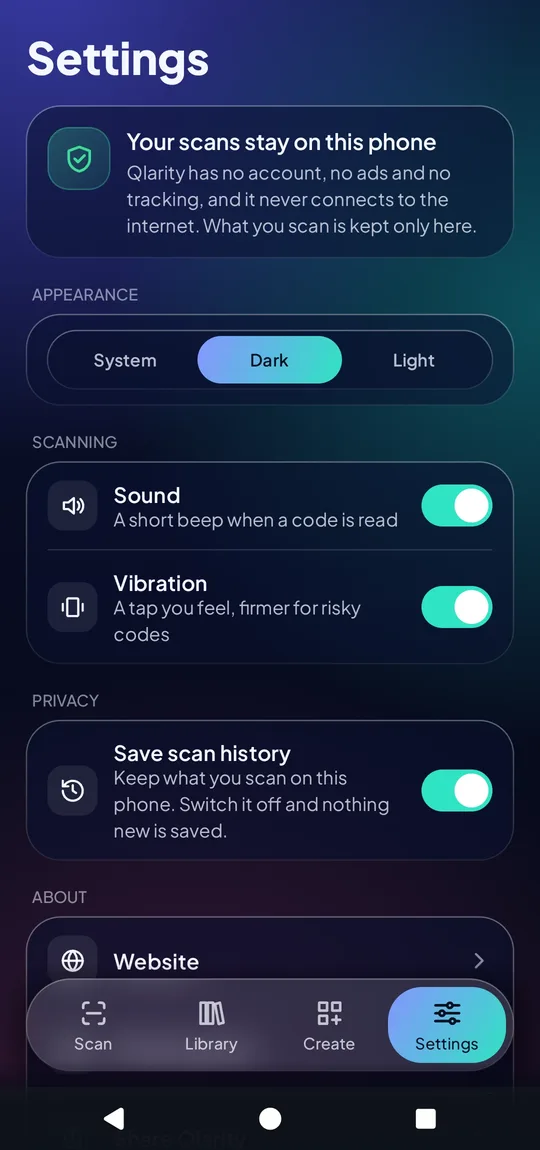
Qlarity does its work on the device. There is no server to send your scans to.
Yes. Scanning, history, batch lists and creating codes are free, with no ads and no account.
Yes. Every check runs on your phone. Opening a link needs a connection, but that happens in your browser, not in Qlarity.
Nothing. There is no account, no analytics and no tracker. Your scan history is stored on your phone only.
QR Code, Data Matrix, Aztec, PDF417, EAN-13, EAN-8, UPC-A, UPC-E, Code 128, Code 39, Code 93, ITF and Codabar, from the camera or from a photo.
It shows warning signs such as look-alike domains, short links and altered payment checksums. It cannot prove a site is trustworthy, so read the address it shows and never type a password on a page you did not expect.
Never. A code is only read. Nothing opens until you choose to.
Qlarity is coming to the App Store and Google Play.